Showing posts with label Zeya. Show all posts

Zeya 0.6

I'm pleased to announce the (long overdue…) release of Zeya 0.6.

This release contains only bug fixes and minor changes that help Zeya to "just work" under a wider variety of circumstances.

Major changes since Zeya 0.5:

  • The 'dir' backend works with Python 2.5 again. (Thanks to Greg Grossmeier)
  • Broken symlinks are detected and ignored. (Thanks to Etienne Millon)
  • Unreadable playlist files are detected and ignored.
  • The 'dir' backend sorts files case-insensitively. (Thanks to Greg Grossmeier)
  • Zeya no longer leaks file handles under certain circumstances. (Thanks to Pior Bastida)
  • The frontend uses relative paths to resources, so Zeya can be run behind a reverse proxy out of the box, e.g. at http://yourhostname/path/to/zeya (Thanks to Jérôme Charaoui)

See http://web.psung.name/zeya/ to learn more about Zeya, installation, getting started, reporting bugs, and development.

Why Zeya?

I noticed that Zeya is now more than two years old. (Yow! Version 0.1 was released in August 2009! Thanks to you all for all the patches, by the way. Zeya has become much more popular than I would ever have guessed at the time.)

This got me thinking about what has, and hasn't, gotten better in that time with respect to music software, and why I thought Zeya was so useful in the first place.

Conceptually, you can think of any computer that is involved in playing your music as providing one or more of the following functions:

  1. Storage: storing your music in nonvolatile storage and retrieving it
  2. Control: letting you push buttons and see what is playing or available to play
  3. Playback: driving a set of speakers

Traditionally all three functions have been performed by the same computer. But there's no reason they can't all run on different computers, not when you have a moderate- or high-speed network connecting them all. You might ask why you would actually want to separate these functions. The answer is that each function is best suited to be performed by a computer with a specific set of attributes, and the requirements for all of the functions are at odds with each other, and so require some compromise if they are to be colocated.

  1. Storage wants to be done on a computer that has an enormous disk and is possibly continuously backed up.
  2. Control wants to be done on a computer that is easy to reach (physically), possibly even one that fits in your pocket or can otherwise be carried around.
  3. Playback wants to be done on a computer that permanently sits somewhere you want to hang out and is attached to a set of sweet speakers.

The original impetus for writing Zeya was that it became clear to me that storage constraints were becoming increasingly annoying. People switched their portable devices from spinning rust (classic iPod and laptop HDDs) to flash memory (smartphones, smartphone-like devices like the iPod touch, and laptop SSDs), and all of a sudden, with the accompanying drop in capacity (most smartphones, for example, top out at just 16GB or 32GB), many people could no longer carry their entire music collection with them.

At a higher level, Zeya completes the trio of tools that lets you decouple the components in varying ways:

  1. Zeya and similar tools decouple storage from control and playback. Conceptually Amazon Cloud Player and Google Music are doing the same thing, too, though there the storage happens in the cloud.
  2. X11 decouples control from storage and playback.
  3. PulseAudio decouples playback from storage and control.

(If you use any two of those, you can completely decouple all three functions, modulo the fact that X11 and PulseAudio don't work very well over high-latency links.)

There has long been a patchwork of pieces that provide flexibility along one or more of the above dimensions (iTunes, Sonos, etc.) and have various tradeoffs; though, only in the past year have we seen the launches of high-profile products like Amazon Cloud Player and Google Music, which are more directly analogous to Zeya. All the attention in this area means that people are finally starting to understand the possibilities of the technology. Namely, that when you have network access everywhere, physical distance (and the need for the colocation of certain things) becomes much less important.

Zeya 0.5

I'm pleased to announce the release of Zeya 0.5 (also— Hello, Reddit!).

Major changes since Zeya 0.4:

  • Playlist support. The 'rhythmbox' and 'dir' backends detect playlists you've saved (in Rhythmbox or as M3U/PLS files, respectively) and let you choose from among them (using the dropdown in the upper left corner).
  • PLS format playlists are now supported by the 'playlist' backend. The format of the playlist (M3U or PLS) is guessed automatically based on the extension. (Amit Saha)
  • Support for decoding m4a files. (Rainer Hahnekamp)
  • Bind Zeya to a single interface only with the new --bind_address flag. See the cookbook for more info. (Björn Lohrmann)
  • More UI.
  • Bug fixes. Zeya now "just works" under a wider variety of circumstances. (Samson Yeung and others)

Known issues:

  • The 'dir' backend doesn't work with Python 2.5. A fix has been checked in at git HEAD.

See http://web.psung.name/zeya/ for more information about Zeya, installation, getting started, and reporting bugs.

Zeya in Linux Journal

Amit Saha wrote a nice article about Zeya in Linux Journal. It's pretty much Zeya's missing tutorial and design doc (not to mention, a review and a rundown of the alternatives). Thanks, Amit!

Zeya 0.4

I'm pleased to announce the 0.4 release of Zeya. Zeya is a web server that lets you listen to your music collection, from anywhere, using nothing more than Firefox or Google Chrome.

Major changes since Zeya 0.3:

  • Gapless playback. This feature works with varying degrees of success on various browsers; I recommend Firefox 3.6. Firefox 3.6 > Google Chrome 4.x > Firefox 3.5.
  • "Shuffle" feature. (Thanks to Amit Saha)
  • "Repeat playlist" feature.
  • New playlist backend, which serves all the songs specified in an M3U playlist. (Amit Saha)
  • A sample Upstart script, which shows how to run Zeya at startup on Upstart-based systems, such as Ubuntu 9.10/Karmic and later. (Amit Saha)
  • Turned on traffic shaping for Google Chrome clients, so streaming doesn't hose low-bandwidth connections.
  • Other bug fixes and improvements to the listening experience.

Zeya has also now been packaged for Ubuntu! (More precisely, the Debian package has been synced to Ubuntu Lucid.) On Debian testing or unstable and Ubuntu 10.04/Lucid, install the zeya package:

# apt-get install zeya

(It may be several more days before 0.4 appears in Debian testing or Ubuntu.)

See http://web.psung.name/zeya/ for more information about Zeya, installation, getting started, reporting bugs, and development.

Zeya 0.3

I'm pleased to announce the 0.3 release of Zeya. Zeya is a music player that runs in your (HTML5 draft standard-compliant) web browser, giving you streaming access to your music collection from pretty much anywhere.

Romain Francoise has generously packaged Zeya for Debian. Debian "testing" (squeeze) users can now install Zeya as follows:

# apt-get install zeya

(Zeya 0.2 is in Debian "testing" at present; Zeya 0.3 will be in "unstable" shortly and in "testing" after the requisite testing period.)

Many significant changes have been made since Zeya 0.2:

  • You can filter your music collection by title, artist, or album with Zeya's new search functionality. (Thanks to Romain Francoise)
  • Zeya implements traffic shaping for Firefox clients, to keep from hosing low-bandwidth network links.
  • Zeya supports password protecting your music collection with Basic HTTP authentication, configurable with --basic_auth_file. (Thanks to Samson Yeung)
  • The default backend is now dir (read all music within a directory) instead of rhythmbox.
  • Initial load time is significantly improved, as Zeya now compresses output data when appropriate. This yields a 3-7x decrease in transfer size. (Romain Francoise)
  • The target output bitrate can be set with --bitrate. (Romain Francoise)
  • Zeya does a better job of guessing reasonable metadata when the ID3 tags are missing. (Samson Yeung)
  • Zeya listens on IPv6 interfaces by default. (Romain Francoise)
  • Zeya is multithreaded for improved parallelism.
  • zeyaclient.py supports skipping to the next song (with C-c) and jumping back to the query prompt (with C-c C-c).
  • Zeya decodes MP3s using mpg123 instead of mpg321, for some performance improvements.
  • An online guide to the keyboard shortcuts has been added (click "Help" at the bottom or press ?).

Many bug fixes and UI improvements have also been made.

Known issues:

  • zeyaclient has not yet been updated to support basic HTTP authentication.

You can obtain Zeya via git:

git clone http://web.psung.name/git/zeya.git

As I mentioned above, Zeya is also packaged for Debian.

See http://web.psung.name/zeya/ for more information, including a quick start guide. We'd appreciate hearing any problem reports on our new bug tracker or via Debian's bug tracker.

Zeya 0.2

Zeya is a music server that streams your music collection to any computer, phone, television, picture frame, or refrigerator that has a current-generation web browser. The client part uses the <audio> tag in the HTML5 draft spec, so it runs right in the browser— without Flash or Silverlight and without the need to install any extra software at the client.

I'm pleased to announce the 0.2 release of Zeya.

New since Zeya 0.1:

  • Support for Internet Explorer (via Google's Chrome Frame plugin). IE joins Firefox and Chrome in the list of supported browsers.
  • A new console frontend (more below)
  • Numerous UI improvements, both substantive and cosmetic
  • A unit test suite

There are many bug fixes, the most notable being:

  • Filenames with non-ASCII characters can be read and served correctly.
  • Files that are not in a decodable format are hidden entirely from the user.
  • Zeya should actually work in Python 2.5 as advertised.

Known issues:

  • 64-bit GNU/Linux builds of the Google Chrome dev channel are undergoing some codec turbulence. Use either the 64-bit Chromium builds or 32-bit builds of Chrome or Chromium instead.

The new console frontend, zeyaclient.py, is a simple (read: primitive) app that connects to a Zeya server and prompts for songs to play. This is handy if you are using a computer that doesn't have a supported web browser (but on which you can run Python scripts). The Sugar OS on the XO-1 is one such setup, so I'm now using my XO, which is connected to a hi-fi set, as a jukebox for my living room.

I've also been using Zeya more frequently to listen to music (from my home computer) at work. It's much more satisfying than internet radio.

Visit http://web.psung.name/zeya/ for more information, or read previous blog posts on Zeya.

Zeya 0.1

Zeya is a streaming music server that supports an HTML 5 (draft standard) based player.


Motto: bring your music anywhere

I'm pleased to announce the first numbered release of Zeya, version 0.1.

Notable new features:

  • Support for the directory backend, which scans a directory recursively and serves up all the music in it. Invoke with
      zeya.py --backend=dir --path=/path/to/music
  • Experimental support for Google Chrome clients. Zeya plays music in Chrome. Latency is still poor and advance-to-next-track is broken for the time being. Read the README for the gory details.
  • Keyboard shortcuts for play controls: j, k, and SPC.

Visit http://web.psung.name/zeya/ for more information, and read the previous blog post on Zeya for a bit more context.

Zeya: bring your music anywhere

I love SSH. One reason is that I love being able to get to my files from anywhere on the planet without any advance planning.

After using SSH for a while, carrying my bits around with me on magnetized platters or EEPROMs inside a laptop/phone/PMP just seems so quaint and irritating. It leads to a host of problems: you have to worry about synchronizing, deciding what to synchronize, merging changes, and misplacing your device. Usually, some bizarre cable is involved in transferring data. And invariably, there's that one spreadsheet, paper, song, or ebook that you tragically can't view because you left it on your computer at home.

(Incidentally, I think using cloud hosted storage/apps is one approach, but not a complete solution, at least yet.)

Introducing Zeya

While SSH is great for the vast majority of application classes, I think effectively accessing audio/video remotely requires more specialized tools.

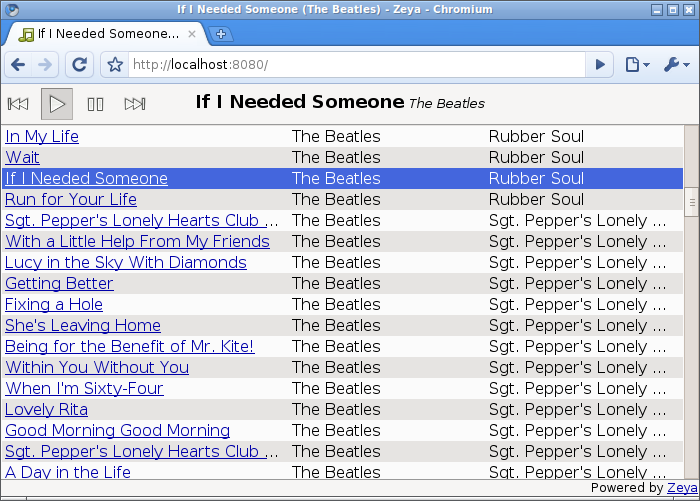
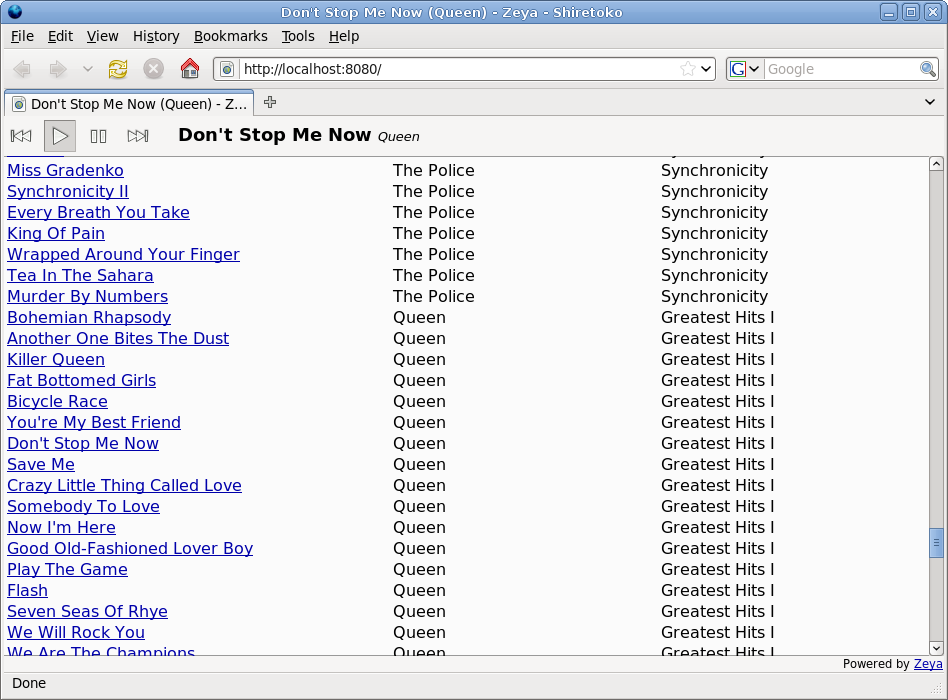
To this end, I spent a few days writing Zeya, a music server that takes your Rhythmbox music collection and streams songs from it to you. However, unlike gnump3d or ampache, Zeya presents a full music player right in your web browser, using the goodness of HTML 5. No Flash, no Silverlight, no Java applets, no plugins, no popups, no invoking external players, no client-side software installation.

Zeya brings your music to any computer with a web browser (OK, as long as the browser is Firefox 3.5, for the moment). Play songs from your collection on your desktop at work. Or on your netbook at Starbucks. And now or soon, when you get a current-gen web browser on your phone/MID/fridge, you can bring all your music there too.

Picture iTunes' library sharing. Now imagine that its functionality wasn't crippled to lock users in to iTunes. Oh, and you could actually access it from outside your LAN. Oh, and that you could listen from any computer, anywhere, without installing any software. I think Zeya in its current state is just a pale shadow of what is really possible when you actually try to make information really easy, rather than just marginally less difficult, to get to.

Samson Yeung and I have been working on, and using, Zeya for a few days now. It's pretty useful and easy to get running, but it is feature-bare, experimental, and subject to change in all sorts of fun and interesting ways. If that doesn't scare you, visit

http://web.psung.name/zeya/,

try it out, and let me know what you think.